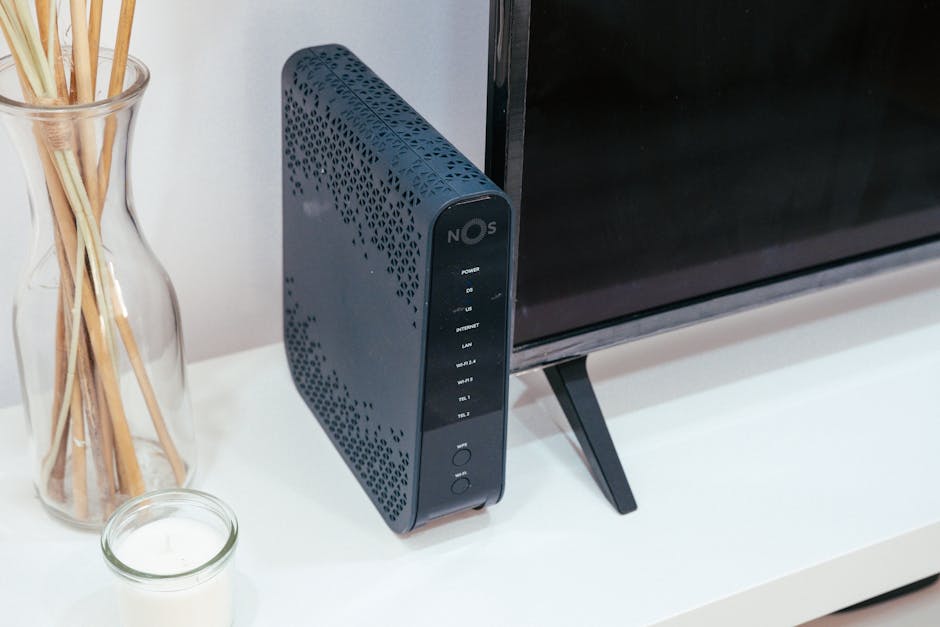
Is your home WiFi a constant source of frustration? Are you tired of buffering videos, dropped calls, and dead zones that make certain rooms feel like digital black holes? You’re not alone. Many New Zealanders grapple with unreliable internet, often pointing the finger at their internet service provider (ISP) when the real culprit might be sitting right under their nose: an underperforming router.
It’s easy to assume your ISP-provided box should handle everything. But as our homes fill with more devices – smart TVs, phones, laptops, smart speakers, gaming consoles, security cameras – the demands on a standard router skyrocket. What worked a few years ago simply won’t cut it in a multi-device, multi-user household. Finding the right router can transform your home network from a source of endless annoyance into a seamless, high-speed experience. The good news is, getting better WiFi doesn’t have to be complicated, or expensive.
Why Your Current WiFi Isn’t Cutting It Anymore
Before we dive into specific products, it’s crucial to understand why your current setup might be failing you. Pinpointing the problem helps you choose the right solution, rather than just throwing money at new gear. Many factors contribute to poor WiFi performance, and it’s rarely just one thing.
The ISP Router Trap
Most internet plans in New Zealand come bundled with a modem/router combo from your ISP, whether that’s Spark, Vodafone, or another provider. These devices are designed to be cost-effective and functional for basic use. They aren’t built for high performance, extensive coverage, or handling a dozen simultaneous devices streaming 4K video. They often lack advanced features like robust Quality of Service (QoS) controls, which prioritise certain types of traffic (like gaming or video calls) over others. This means your gaming session might lag simply because someone else started watching Netflix in the next room.
These routers typically have weaker antennas and less processing power than dedicated, standalone routers. This translates directly into slower speeds and reduced range. For a small apartment with only a few devices, an ISP router might be fine. But for a larger home with a family, it’s often the first bottleneck.
Home Layout Hurdles
The physical layout of your home significantly impacts WiFi signal strength and coverage. Walls, especially concrete or brick, are notorious signal blockers. Even large appliances like refrigerators or washing machines can interfere. If your router is tucked away in a cupboard, behind a TV, or at one far end of a long house, you’re practically guaranteeing dead zones.
Multi-story homes pose a particular challenge. A single router on the ground floor will struggle to provide strong, consistent signal to the upstairs bedrooms. The signal degrades with every obstruction and every meter it travels. Understanding where your signal drops off is a key step in deciding what kind of router system you need – sometimes, a single powerful router isn’t enough, and a mesh system becomes necessary.
Device Overload
Think about how many devices connect to your WiFi daily. Phones, tablets, laptops, smart TVs, gaming consoles, smart speakers, smart lights, security cameras, robot vacuums… the list grows constantly. Each device consumes a slice of your router’s bandwidth and processing power. Older routers, especially those operating on older WiFi standards (like Wi-Fi 4 or 5), simply aren’t designed to efficiently manage so many connections simultaneously. This leads to congestion, slowdowns, and frustrating latency issues, particularly during peak usage times.
The type of internet connection you have also plays a role. While a fibre connection delivers fast speeds to your modem, a poor router can’t distribute that speed effectively throughout your home. It’s like having a super-fast highway leading to your house, but only a narrow gravel path connecting it to your living room.
Understanding WiFi 6, Mesh, and Fibre Needs

Navigating the world of router technology can feel overwhelming with all the acronyms and buzzwords. But understanding a few key concepts will empower you to make an informed decision for your NZ home network. These technologies are crucial for future-proofing your setup.
1. WiFi 6 and 6E Explained
WiFi 6 (802.11ax) is the current generation standard, offering significant improvements over its predecessor, WiFi 5 (802.11ac). It’s not just about raw speed, though it does offer that. Its real strength lies in efficiency. WiFi 6 is designed for congested networks with many devices. It uses technologies like OFDMA and MU-MIMO to handle multiple devices simultaneously, rather than making them wait in line. This means less lag and more consistent speeds for everyone in the house.
- Increased Capacity: Handles more devices without bogging down. Essential for smart homes.
- Better Performance: Faster speeds, especially in crowded environments.
- Improved Battery Life: Target Wake Time (TWT) allows devices to negotiate when to send and receive data, reducing power consumption.
WiFi 6E takes this a step further by adding support for the 6GHz frequency band. While 2.4GHz and 5GHz bands are often crowded with older WiFi devices and other wireless interference, the 6GHz band is largely clear. This offers even faster speeds, lower latency, and less congestion for compatible devices. If you’re buying new devices in the coming years, many will support 6E, making a 6E router a strong future-proof choice.
2. Mesh Systems: Whole-Home Coverage
Traditional routers struggle to cover large or multi-story homes effectively. That’s where mesh WiFi systems come in. A mesh system consists of a main router and several satellite units (nodes) placed strategically around your home. These units communicate with each other to create a single, unified WiFi network.
- Seamless Roaming: Your devices automatically connect to the strongest signal as you move around, without dropping connection.
- Eliminate Dead Zones: Extends WiFi coverage to every corner of your home, including garages and outdoor areas.
- Easy Setup: Often simpler to set up and manage than traditional routers with range extenders.
Mesh systems are an excellent solution for tackling the “Home Layout Hurdles” we discussed earlier. Instead of boosting a weak signal from a single point, they create multiple strong access points, distributing the load and ensuring consistent performance everywhere. They can be more expensive upfront, but the improvement in experience is often worth it for larger properties.
3. Fibre and Your Router: What Matters
New Zealand has a fantastic UFB (Ultra-Fast Broadband) fibre network, delivering incredibly fast speeds to your home. But to fully utilise these speeds, your router needs to keep up. A router designed for older ADSL or VDSL connections won’t unlock the potential of your fibre plan.
- Gigabit Ethernet Ports: Ensure your router has Gigabit WAN and LAN ports (1000Mbps). Anything less will bottleneck your fibre speed.
- Strong Processor: A powerful processor in the router is needed to handle the high throughput of fibre, especially with many devices.
- WiFi 6/6E is Ideal: While not strictly necessary for basic fibre, WiFi 6 or 6E ensures that your wireless devices can actually access those fibre speeds without being limited by the router’s older WiFi standard.
Most fibre connections in NZ are “naked” fibre, meaning the fibre terminates in an ONT (Optical Network Terminal) provided by Chorus or your local fibre company. This ONT acts as a modem, converting the fibre signal. Your router then connects to this ONT via an Ethernet cable. This means you don’t need a modem-router combo; a standalone WiFi router is usually what you’re after for fibre connections.
Top Routers for NZ Homes: Our Picks for 2026
After sifting through specifications, user reviews, and pricing specific to the New Zealand market, here are our top recommendations for standalone routers and mesh systems that address various needs and budgets.
The Budget Workhorse: TP-Link Archer AX55
For most NZ households on a budget, the TP-Link Archer AX55 is an excellent choice. It consistently delivers strong WiFi 6 performance without breaking the bank. You can find this model for around NZD $180 – $250. It features four Gigabit Ethernet ports, WPA3 security, and OneMesh compatibility (meaning you can add TP-Link OneMesh extenders later if you need more coverage). It’s a significant upgrade over most ISP-provided routers and handles typical fibre speeds up to 1Gbps with ease. It might not be the flashiest, but it’s reliable and offers great value.
Mid-Range Powerhouse: ASUS RT-AX86U
If you’re a gamer, a heavy streamer, or have a house full of demanding devices, the ASUS RT-AX86U is our strong recommendation. Priced typically between NZD $400 – $550, this router is a beast. It’s a dual-band WiFi 6 router with a powerful processor, dedicated gaming port, and excellent QoS features. It can handle multi-gig internet connections (up to 2.5Gbps WAN port) if you ever upgrade your fibre plan. The RT-AX86U excels at maintaining low latency and high speeds, even under heavy load. Its robust management software also allows for extensive customisation and security features.
Best for Large Homes (Mesh): Netgear Orbi RBK752
For expansive homes, multi-story houses, or properties with challenging layouts, a dedicated mesh system is often the only real solution. The Netgear Orbi RBK752 (a 2-pack system, router + satellite) is our pick, typically retailing for NZD $700 – $900. This tri-band WiFi 6 mesh system uses a dedicated backhaul band (a separate wireless channel) to ensure fast communication between the main router and its satellites, preventing speed degradation as you add more nodes. It provides exceptional coverage and consistent speeds across hundreds of square meters, easily eliminating WiFi dead zones. Setup is straightforward via the Orbi app, making it user-friendly despite its advanced capabilities.
Feature Showdown: How NZ’s Popular Routers Compare

To give you a clearer picture of what you’re getting for your money, here’s a side-by-side comparison of our top picks, along with a slightly more budget-friendly mesh option for context. Prices are approximate as of late 2026 and can vary between retailers.
| Feature | TP-Link Archer AX55 | ASUS RT-AX86U | Netgear Orbi RBK752 (2-pack) | TP-Link Deco X50 (2-pack) |
|---|---|---|---|---|
| Price (NZD) | $180 – $250 | $400 – $550 | $700 – $900 | $400 – $550 |
| WiFi Standard | WiFi 6 (AX3000) | WiFi 6 (AX5700) | WiFi 6 (AX4200 Tri-band) | WiFi 6 (AX3000) |
| Max Wireless Speed | 3000 Mbps | 5700 Mbps | 4200 Mbps (System) | 3000 Mbps (System) |
| Ethernet Ports | 1 WAN, 4 LAN (Gigabit) | 1 2.5Gbps WAN, 1 1Gbps WAN, 4 LAN (Gigabit) | 1 WAN, 3 LAN (Gigabit) per unit | 3 LAN (Gigabit) per unit |
| Coverage (Approx.) | Up to 150-200 sqm | Up to 250-300 sqm | Up to 350-400 sqm | Up to 350-400 sqm |
| Processor | Dual-Core 1GHz | Triple-Core 1.8GHz | Quad-Core 1.4GHz | Dual-Core 1GHz |
| Key Features | OneMesh, WPA3 | Gaming port, AiProtection Pro, Adaptive QoS | Dedicated Tri-band Backhaul, Easy Setup | AI-Driven Mesh, HomeShield Security |
Performance Metrics
When comparing performance, the ASUS RT-AX86U stands out for raw speed and processing power, making it ideal for fibre plans exceeding 1Gbps or for households with extremely demanding network activities like competitive online gaming. The TP-Link Archer AX55 provides excellent baseline WiFi 6 performance for standard 1Gbps fibre plans. For coverage, both the Netgear Orbi RBK752 and TP-Link Deco X50 mesh systems are designed to blanket large areas, with the Orbi offering a dedicated backhaul for potentially more consistent speeds between nodes.
Value for Money
The TP-Link Archer AX55 is the clear winner for value if you need a significant upgrade over an ISP router without spending a fortune. It offers modern WiFi 6 tech at an entry-level price point. For mesh systems, the TP-Link Deco X50 offers a compelling package at a lower price than the Orbi, making it a great option for those who need mesh coverage but find the Orbi a bit too expensive. The ASUS RT-AX86U, while pricier, delivers premium features and performance that justify its cost for power users.
Ease of Setup
Most modern routers, particularly mesh systems, prioritise user-friendly setup processes. Devices like the TP-Link Archer AX55 use intuitive web interfaces, while mesh systems like Netgear Orbi and TP-Link Deco rely heavily on companion smartphone apps that guide you step-by-step. The ASUS routers, while powerful, offer a more feature-rich (and sometimes more complex) interface, appealing to users who want granular control over their network.
Common Router Questions NZ Homeowners Ask
Do I need a modem router combo for NZ fibre?
No, generally not. For most NZ fibre connections (UFB), your fibre signal terminates at an ONT (Optical Network Terminal) box, usually installed by Chorus. This ONT acts as your modem. Your router then connects to the ONT via a standard Ethernet cable. This means you only need a standalone WiFi router, not a modem-router combo. If you have an older ADSL or VDSL connection, you would need a modem-router combo, but fibre is now the standard for new installations and upgrades.
What about signal interference in my home?
Signal interference is a common problem. Sources include neighbouring WiFi networks, cordless phones, microwaves, Bluetooth devices, and even faulty electrical wiring. To minimise interference:
- Change Channels: Most routers can scan for clear WiFi channels. Access your router’s settings and switch to a less congested 2.4GHz or 5GHz channel.
- Router Placement: Keep your router away from large metal objects, concrete walls, and other electronics. Position it centrally and ideally elevated.
- 5GHz Band: Use the 5GHz band for devices that are closer to the router and require high speed (e.g., streaming devices, gaming consoles). It’s faster but has a shorter range and penetrates walls less effectively than 2.4GHz.
- Ethernet: For stationary devices that require maximum stability and speed (e.g., desktop PCs, smart TVs), use a wired Ethernet connection directly to the router.
Can I use my old router with my new fibre connection?
You can, but it’s often not advisable. While an old router might technically connect to your fibre ONT, it’s unlikely to unlock the full potential of your fibre speed. Older routers often lack Gigabit Ethernet ports, support only older WiFi standards (like WiFi 4 or 5), and have less powerful processors. This creates a bottleneck, meaning you’re paying for fast fibre but your router is holding you back. For a true fibre experience, upgrading to a modern WiFi 6 router is highly recommended.
Picking Your Perfect Router: The Final Word

The frustration of a slow, unreliable home WiFi network is entirely avoidable. By understanding the common pitfalls and the options available, you can make an informed decision that transforms your digital life. Whether you need a robust budget upgrade like the TP-Link Archer AX55, a high-performance powerhouse such as the ASUS RT-AX86U, or comprehensive coverage with a mesh system like the Netgear Orbi RBK752, a better internet experience is within reach. Take control of your home network, and say goodbye to those irritating dead zones and buffering screens for good.
