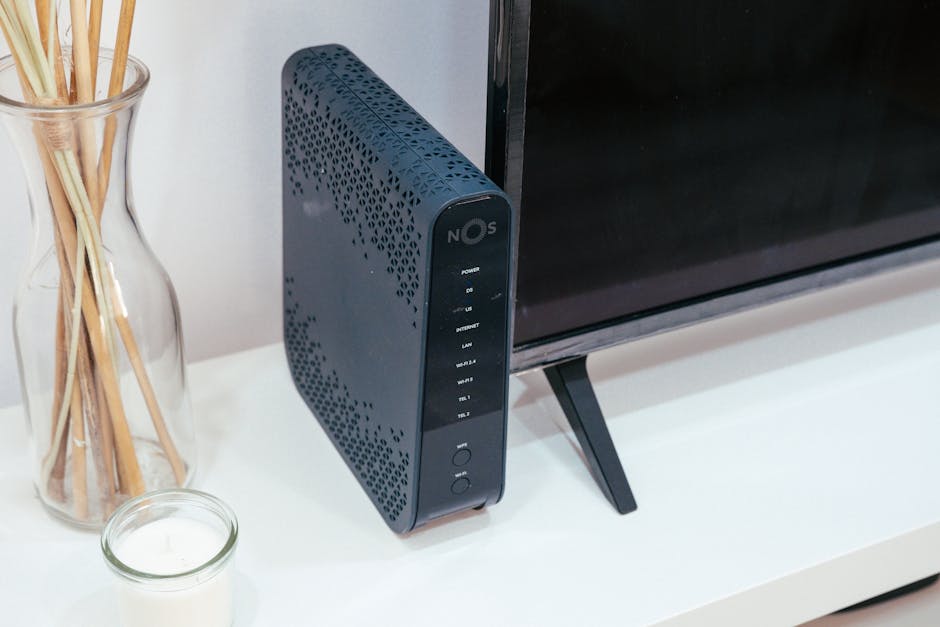
Many people assume a slow internet connection is always the fault of their internet service provider. Or, they think all routers deliver essentially the same performance. This isn’t accurate. While your ISP determines the raw speed entering your home, your router dictates how efficiently, reliably, and widely that speed gets distributed to your devices. A subpar or poorly placed router can turn a blazing fast internet plan into a frustratingly slow experience, creating dead zones and lag throughout your home. Investing in the right router isn’t just about raw megabits per second; it’s about optimizing your entire home network for consistency, coverage, and security.
Do You Really Need Wi-Fi 6 or 6E? Understanding the New Standards
The router market constantly introduces new wireless standards, making it hard to know if the latest technology is truly necessary for your home. While it’s tempting to always buy the newest, understanding what each standard offers helps you make a smarter choice. For many households, Wi-Fi 6 (802.11ax) is a significant upgrade, but Wi-Fi 6E, with its newer 6GHz band, serves a more niche, albeit powerful, purpose.
Wi-Fi 6: Better for Busy Households
Wi-Fi 6 represents a crucial evolution, especially for homes packed with smart devices, streaming 4K content, and online gaming. It introduces key technologies like OFDMA (Orthogonal Frequency-Division Multiple Access) and improved MU-MIMO (Multi-User Multiple-Input, Multiple-Output). Think of older Wi-Fi like a single-lane road where cars (data packets) have to wait their turn. OFDMA turns that into a multi-lane highway, allowing multiple devices to transmit and receive data simultaneously on the same channel, greatly reducing congestion and improving efficiency.
MU-MIMO, which existed in some Wi-Fi 5 routers, is vastly enhanced in Wi-Fi 6, allowing a router to communicate with more devices at once. This means your smart TV, gaming console, laptop, and smart speaker can all get dedicated attention from the router without bottlenecking each other. Another benefit is Target Wake Time (TWT), which helps devices negotiate when they’ll send and receive data, allowing them to power down their Wi-Fi radios more often, conserving battery life on your phone or IoT devices. Routers like the TP-Link Archer AX55 (often found for $100-120) or the Netgear Nighthawk AX4 (RAX40) (around $150-180) are excellent examples of Wi-Fi 6 routers that deliver substantial performance for homes with internet plans up to 600-800 Mbps.
Wi-Fi 6E: The Untapped 6GHz Highway
Wi-Fi 6E builds on Wi-Fi 6 by adding a completely new frequency band: 6GHz. While Wi-Fi 6 operates on the already crowded 2.4GHz and 5GHz bands, 6GHz offers a massive block of clear spectrum, free from interference from older Wi-Fi devices, microwaves, and cordless phones. This means incredibly fast speeds and ultra-low latency, ideal for demanding applications like virtual reality, 8K streaming, or competitive online gaming that simply cannot tolerate any lag. It’s like adding an entirely new, super-fast, private highway where only the newest, fastest cars are allowed.
The catch? For Wi-Fi 6E to benefit you, both your router and your devices (laptops, phones, VR headsets) must support the 6GHz band. As of 2026, many devices still don’t. Also, 6GHz signals have shorter range and are more easily obstructed by walls and floors compared to 5GHz. So, while a router like the TP-Link Archer AXE75 (around $180-220, AXE5400) offers impressive value for a 6E router, its full potential is only unlocked with compatible client devices in close proximity. High-end options like the Netgear Nighthawk RAXE500 (often $500+) push the absolute limits of 6E, but their price tag and the current scarcity of 6E client devices mean they’re a significant investment for future-proofing rather than immediate, widespread benefit.
Mesh Wi-Fi vs. Traditional Routers: Covering Every Corner

One of the most common frustrations with home Wi-Fi is inconsistent coverage. Dead zones, where the signal simply disappears, plague many larger or multi-story homes. The solution often comes down to a fundamental choice: a single, powerful traditional router or a distributed mesh Wi-Fi system. Each has its strengths and ideal use cases, directly impacting how you experience your internet.
When a Single Router is Enough
For apartments, smaller homes (typically under 1800 square feet), or open-plan layouts, a single, well-placed traditional router can deliver excellent performance. These routers are often more cost-effective for a given level of raw speed, especially if you have a central location without many physical obstructions. A powerful single router, such as the Asus RT-AX86U Pro (around $280-300, AX5700), offers exceptional throughput and advanced features for gamers and power users in a concentrated area. Similarly, the TP-Link Archer AX73 (around $170-200, AX5400) provides robust performance and range for its class, making it a strong contender for homes where a single device can genuinely cover the entire space.
The Mesh Advantage: Seamless Whole-Home Coverage
Mesh Wi-Fi systems are designed to blanket larger homes (over 2000 square feet), multi-story houses, or spaces with complex layouts in seamless Wi-Fi. Instead of one central router, a mesh system uses multiple nodes or satellites that communicate with each other, creating a single, unified Wi-Fi network with the same name. As you move through your home, your devices automatically switch to the strongest signal without interruption, eliminating dead zones entirely. Setup is often incredibly simple, guided by a mobile app, and you can easily expand coverage by adding more nodes if needed.
| Feature | Traditional Router (e.g., TP-Link AX55) | Mesh System (e.g., Eero 6+ 3-pack) |
|---|---|---|
| Ideal Home Size | Up to 1800 sq ft | 2000-6000 sq ft |
| Initial Cost | $100-$300 | $200-$600+ |
| Setup Difficulty | Moderate (web interface) | Very Easy (mobile app) |
| Coverage Type | Point-to-point | Distributed, seamless |
| Expandability | Limited (extenders often poor) | Excellent (add nodes easily) |
| Speed at Edge | Drops significantly | Consistent across nodes |
| Key Benefit | Raw speed in central area | Consistent coverage everywhere |
While mesh systems can be more expensive upfront, and individual satellite nodes might offer slightly lower peak speeds than a primary router due to backhaul traffic, the overall consistency and ease of use are undeniable for large homes. Systems like the Eero 6+ (3-pack) (around $230-250) are renowned for their simplicity and reliable coverage, making them a fantastic choice for the average family. For higher performance, the Netgear Orbi RBK752 (2-pack) (around $350-400) provides a robust mesh experience with dedicated backhaul, ensuring faster speeds across all nodes.
Essential Router Features Beyond Speed: Don’t Overlook These
When selecting a router, raw speed ratings often dominate the conversation. While important, a router is far more than just a speed pump; it’s the brain of your home network. Overlooking critical features beyond gigabit numbers can lead to frustrating experiences, security vulnerabilities, or a lack of control over your connected home.
Prioritizing Traffic: Quality of Service (QoS)
In households with multiple users and varied activities, a router’s Quality of Service (QoS) capabilities become invaluable. QoS allows you to prioritize certain types of traffic or specific devices over others. For example, if you’re working from home on a video conference while someone else is streaming 4K content and a third person is gaming online, QoS ensures your video call remains crystal clear by allocating it sufficient bandwidth. You can often configure it to prioritize specific applications (like Zoom or Netflix) or specific devices (your work laptop, the gaming PC). This intelligent traffic management prevents lag and ensures a smoother experience for everyone on the network, even during peak usage.
Robust Security and Privacy Controls
Your router is the first line of defense for your entire digital life. Therefore, robust security features are non-negotiable. Look for routers that support WPA3 encryption, the latest standard that offers stronger encryption and better protection against brute-force password attacks compared to older WPA2. Crucially, ensure the router offers automatic firmware updates. These updates frequently include vital security patches that protect against newly discovered vulnerabilities. Manual updates are often forgotten, leaving your network exposed. Additionally, features like a dedicated guest network are essential. This isolates visitors’ devices from your main network, preventing them from accessing your personal files or potentially introducing malware. Advanced parental controls, allowing you to filter content, set time limits, and even pause internet access for specific devices, are also vital for family homes.
Wired Connections: Gigabit Ethernet Ports
Even in an increasingly wireless world, wired Ethernet connections remain critical for many devices and offer unparalleled stability and speed. Desktops, gaming consoles (like PlayStation 5 or Xbox Series X), smart TVs, network-attached storage (NAS) devices, and smart home hubs all benefit from a direct, wired connection. It eliminates Wi-Fi interference, provides consistent low latency, and ensures maximum bandwidth. Always check for at least four Gigabit (1000 Mbps) Ethernet LAN ports on any router you consider. Higher-end routers for 2026 and beyond may even offer 2.5 Gigabit or 10 Gigabit ports for even greater future-proofing, especially for local network transfers to a high-speed NAS or a dedicated server.
Budget-Friendly Routers That Punch Above Their Weight

Forget the marketing hype; you don’t need a $400 router for a great experience. While top-tier models offer impressive specs, for most homes with typical internet plans (up to 500-800 Mbps) and a moderate number of devices, there are fantastic budget-friendly options that deliver reliable performance without emptying your wallet. The sweet spot for value often lies in the $100-$180 range, offering the benefits of modern Wi-Fi 6 without excessive frills.
The Under-$150 Sweet Spot: TP-Link Archer AX55 (AX3000)
For many households, the TP-Link Archer AX55 is arguably the best value in traditional Wi-Fi 6 routers today, typically priced around $100-120. This dual-band AX3000 router boasts speeds up to 2402 Mbps on the 5GHz band and 574 Mbps on the 2.4GHz band, which is more than sufficient for multi-device households on most internet plans. It comes equipped with four Gigabit LAN ports and one Gigabit WAN port, ensuring fast wired connections for your most critical devices. It also includes a USB 3.0 port for network storage or printer sharing. The AX55 shines with its stable performance, excellent range for its price point, and straightforward setup via the intuitive TP-Link Tether app. It supports WPA3 encryption, offers decent parental controls, and is generally a rock-solid workhorse for anyone looking to upgrade from an older Wi-Fi 5 router without breaking the bank.
A Slightly Higher Budget for Advanced Users: Asus RT-AX58U (AX3000)
If you have a bit more room in your budget, typically around $150-170, the Asus RT-AX58U (AX3000) offers a step up in features and firmware sophistication. While its headline speed ratings are similar to the TP-Link AX55, Asus routers are often known for their more powerful processors, better cooling, and a significantly more feature-rich firmware. The RT-AX58U includes Asus’s AiProtection Pro, powered by Trend Micro, which provides a robust suite of network security features, including intrusion prevention and malicious site blocking, all without a subscription fee. Critically for future-proofing, it also supports Asus’s AiMesh technology. This means you can combine it with other compatible Asus routers (even older ones) to form a seamless mesh Wi-Fi system down the line. This flexibility, coupled with more granular control options for power users, makes the RT-AX58U an incredibly smart choice for those who appreciate advanced network management and built-in security.
The Single Most Important Factor for Router Performance
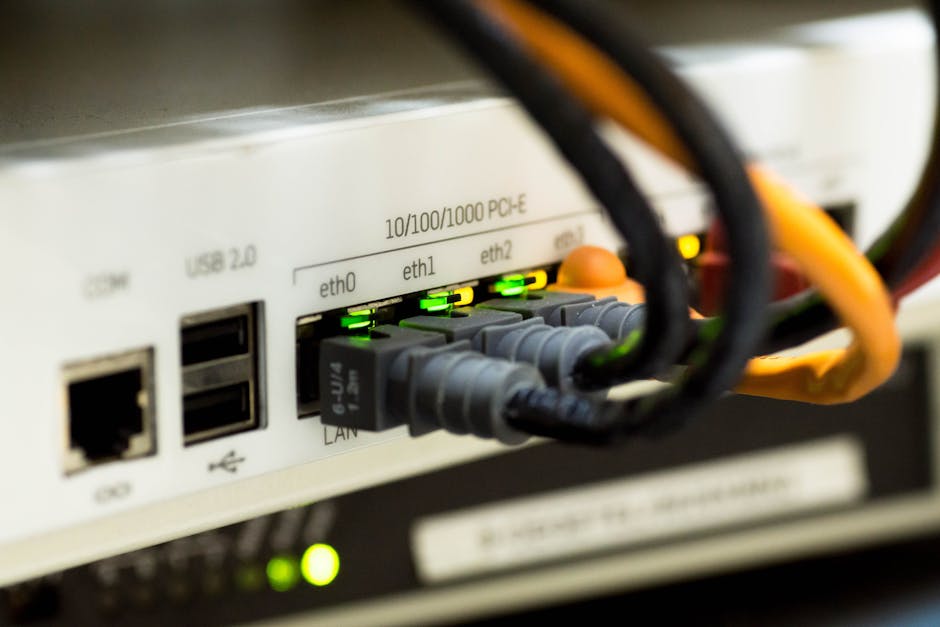
Your router’s physical placement in your home often impacts your Wi-Fi experience more than any specific model or feature list. Even the most expensive Wi-Fi 6E mesh system will struggle if it’s tucked away in a cabinet, behind a TV, or in a basement corner. For optimal performance, place your router in a central location, elevated off the floor, with as clear a line of sight as possible to the areas where you use Wi-Fi most. Keep it away from interference sources like microwaves, cordless phones, and large metal objects. This single, simple change costs nothing and yields immediate, significant results for speed and coverage.
Choosing the right router for your home comes down to understanding your specific needs. For a typical family home (2000-3000 sq ft) with a 500 Mbps internet plan and multiple devices, the Eero 6+ (3-pack) (around $230-250) offers the best balance of coverage, ease of use, and future-proofing, ensuring seamless Wi-Fi everywhere. If you’re a serious gamer or power user in a smaller, single-story space and prioritize raw speed and advanced controls, the Asus RT-AX86U Pro ($280-300) delivers exceptional performance. Don’t overpay for features you don’t need, but also don’t underestimate the power of a well-chosen and well-placed router to transform your home internet experience.
